


Windows Movie Maker Review
Overview
This application is offered for free for Windows users, Windows Movie Maker being included in Windows Live Essential package. So, if you do not have it, install this package from Microsoft.
Windows Movie Maker support drag and drop and has a basic timeline. It is designed for quick editing operations and not for professional or commercial production because has a limited set of templates and options.
You can add videos and photos, webcam video, record microphone over video, add titles, captions, effects, credits, animations, visual effects. You can split, trim, change the speed, change the start and end points of a video.
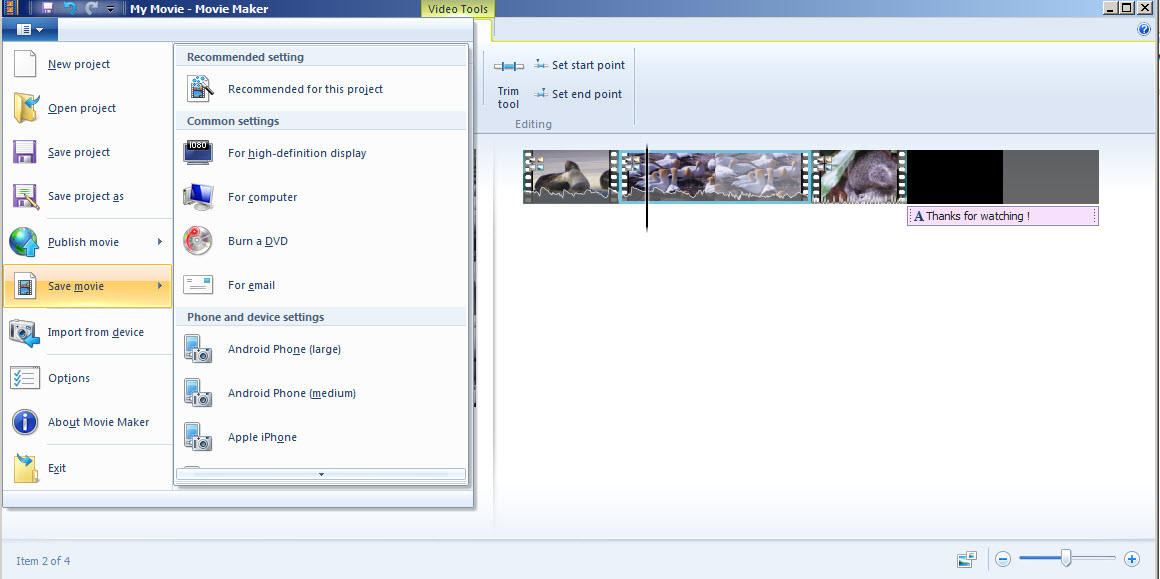
It allows to burn the video to DVD or save it to different formats suitable for Youtube, Vimeo, Facebook etc.
Editing Features 8.50/10
One of the best free programs for video editing.


Ease of Use 7/10
It is very is to use, if we compare it with other similar tools.


Pro
- intuitive interface
Cons
- basic timeline
Conclusion 7.83/10
For a free program, this tool can be used to produce nice videos , but without the quality of a professional one because does not include such effects and themes.
Images


- vs Adobe Premiere Elements
- vs CyberLink PowerDirector
- vs Corel VideoStudio
- vs Wondershare Video Editor
- vs Nero Video
- vs AVS Video Editor
- vs NCH VideoPad
- vs NCH VideoPad Free
- vs Serif MoviePlus
- vs Magix Movie Edit
- vs Sony Movie Studio
- vs VSDC Free Video Editor
- vs Freemake Video Converter
- vs VirtualDub
- vs Avidemux
- Top 3 Free Standing Pull Up Bars Reviews
- Best Cervical Tractions Devices Reviews
- Top Weight Lifting Belts Reviews
- Best Copy Machines for Small Businesses
- Best Lumbar Back Braces Reviews for Pain Relief
- Best Ankle Support Braces / Stabilizer Guard Reviews
- Best 3 Electronic Pulse Massagers Reviews
- Best Cheap Gaming Laptops Under 600 Dollars Reviews
- Best Snow Roof Rakes Reviews
- Best Punching Bags For Kids Reviews